


.svg)








Release 15.6 is all about removing friction. The kind of friction that doesn’t always make headlines, but that adds up over time: unclear travel expenses, PO invoices that don’t match (and don’t explain why), contract-based purchases that feel more complicated than they should, and follow-up work that could have been automated.
In this release, we’ve focused on clarity, insight, and smarter automation — helping you spend less time figuring things out and more time moving forward.
Here’s what’s new.
Clearer travel expenses with “From” and “To” fields
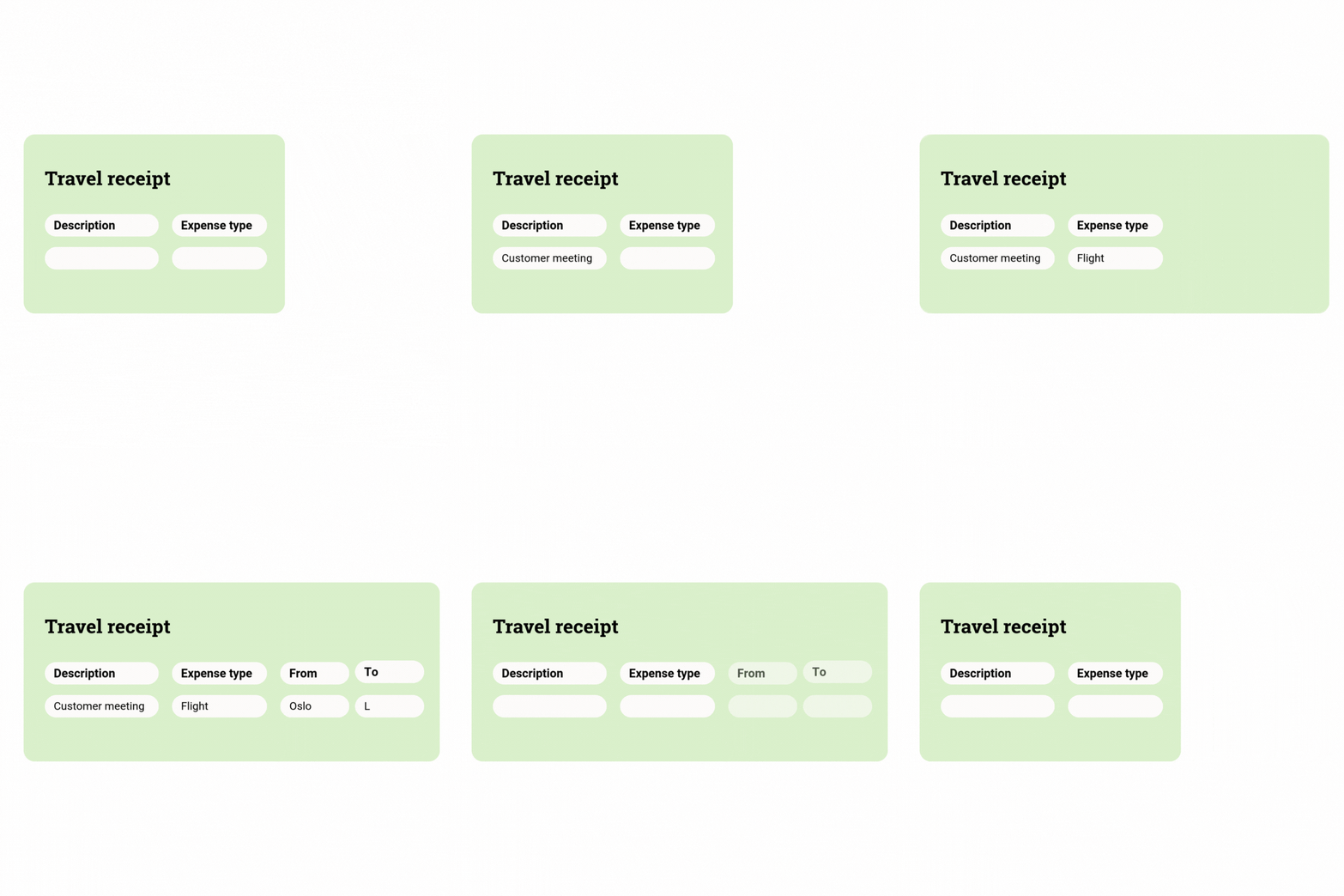
Travel expenses just got easier to understand — and easier to register correctly.
You can now add “From” and “To” fields to travel expense lines, making it clear where a trip starts and ends. The fields are configured in the travel setup, where you decide which expense types they apply to, such as flights, car travel, or train journeys.
For users, this means clearer guidance and less guesswork when registering expenses. For the business, it provides better structure and insight into travel activity — useful for analysing travel patterns and supporting sustainability reporting.
A small addition, but one that makes travel expenses feel a lot more intuitive.
Smarter insights into PO match errors
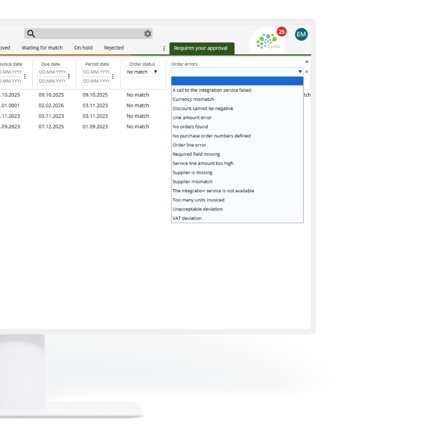
Few things are more frustrating than a PO invoice that doesn’t match — without telling you why.
We’ve improved how PO match errors are shown, so it’s much easier to understand what’s stopping an invoice from matching. In the status list, you’ll now see clear “no match” reasons, such as:
- - Invoiced units exceed order quantity
- - Invoiced units exceed received quantity
- - No units received before invoicing
This gives users immediate clarity, right where they work — reducing guesswork and speeding up resolution when something doesn’t add up.
Turn matching errors into valuable insight with new reporting
On top of clearer status messages, 15.6 also introduces a new report for PO match errors.
The report shows why invoices failed to match during import, giving you a clear overview of recurring issues. This might reveal patterns such as suppliers invoicing before delivery, delayed goods receipt, or other process gaps.
With this insight, you have a much stronger foundation for improving automation, refining deviation rules, and increasing overall matching accuracy — turning errors into something you can actually learn from.
Smarter contract-based purchasing, without the manual work
Contract-based purchasing just got a lot smoother.
You can now connect a single purchase to multiple contracts. When an item includes a contract reference, eye-share Workflow automatically recognises it, matches it to the correct contract, and flags any unclear or missing connections. When the purchase is sent for approval, it’s split by contract automatically.
You’ll also get a clear overview showing how much remains on each contract, including what’s already accrued — giving purchasing teams full visibility and control over contract spend.
The result? Easier purchasing, smarter workflows, and far less manual effort.
A few final touches that improve control
Release 15.6 also includes smaller improvements that add up — like logging changes to translations and visibility settings, giving better traceability and control when field names or labels are adjusted.